The message to which you are about to reply is shown first. GO TO REPLY FORM


 VIEW    REPLY TO THIS MESSAGE    PRINT   SAVE 

Pictures in messages, how? 200 1981

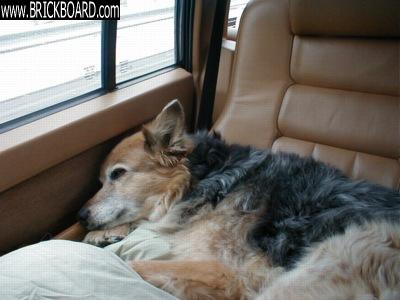
To have a picture appear in a post, you just need to include a line of HTML with the address of the picture. Photos in the gallery work the same way, but you just need the URL included in the gallery info.

The HTML looks like this:

{img src="http://www.hudsonjewelrydesign.com/volvo/broken_lamp.jpg"}{/img}

Just replace the squiggly brackets {} with pointy brackets <>

Result is:


For a gallery image, the HTML looks like this:

{img src='/GALLERY/images/1746.jpg'}{/img}

(pointy brackets needed again to make it work)

Result is:


I agree with you... photos included in posts are very helpful.

- Brian


USERNAME
Use "claim to be" below if you don't want to log in.
PASSWORD
I don't have an account. Sign me up.
CLAIM TO BE
Use only if you don't want to login (post anonymously).
ENTER CAPTCHA CODE
This is required for posting anonymously.
OPTIONS notify by email
Available only to user accounts.
SUBJECT
MODEL/YEAR
MESSAGE

DICTIONARY
LABEL(S) +
IMAGE URL *
[IMAGE LIBRARY (UPLOAD/SELECT)]

* = Field is optional.

+ = Enter space delimited labels for this post. An example entry: 240 muffler


©Jarrod Stenberg 1997-2022. All material except where indicated.


All participants agree to these terms.

Brickboard.com is not affiliated with nor sponsored by AB Volvo, Volvo Car Corporation, Volvo Cars of North America, Inc. or Ford Motor Company. Brickboard.com is a Volvo owner/enthusiast site, similar to a club, and does not intend to pose as an official Volvo site. The official Volvo site can be found here.